
Google Ads for Emergency Services: Capturing High-Intent Searches
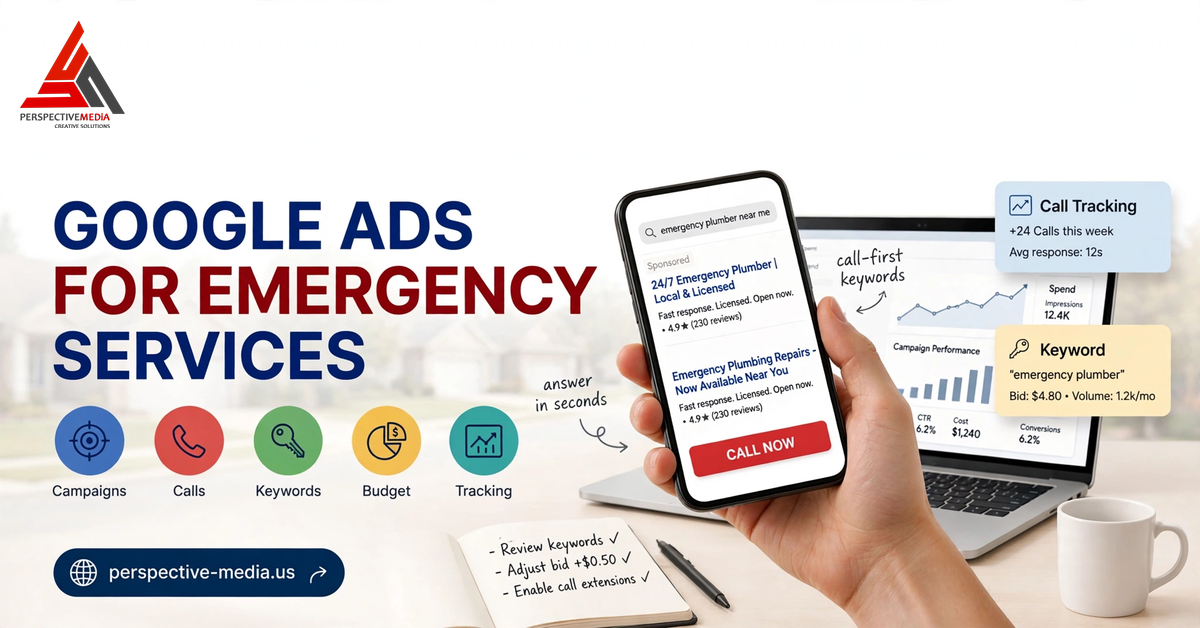
Nobody browses for an emergency plumber at 2 a.m. They search, tap the first trustworthy number, and call. Google Ads for emergency services lives in that moment — the burst pipe, the dead AC in a July heatwave, the sparking outlet, the locked front door. This is the highest-intent traffic in local advertising, and most trade companies run it like regular daytime work. Here’s the playbook for US plumbers, HVAC, electrical, and locksmith businesses: structure, keywords, ad copy, call handling, landing pages, and budgets.
Why Google Ads for Emergency Services Is a Different Game
Standard home-services marketing is a research process. Emergency marketing is call-first, decide-in-seconds. The searcher isn’t comparing — they’re trying to stop water damage or get back inside. That changes the rules:
- Mobile dominates. Emergency searches happen on phones. Assume a stressed person on a phone.
- Position matters more than usual. On “emergency plumber near me,” the top result with a tappable number captures a huge share of calls.
- Speed is the conversion. The job usually goes to whoever answers first.
- Value per call is high. Emergency calls carry after-hours rates and often lead to bigger follow-up work.
Structuring Your Google Ads for Emergency Services Campaigns
The most important rule: keep emergency campaigns completely separate from standard service campaigns. Emergency terms have different intent, peak hours, and much higher CPCs — sharing a campaign lets routine keywords eat the budget meant for 11 p.m. burst-pipe calls.
A clean setup:
- Emergency — Search: exact/phrase match emergency terms, tighter geo radius, aggressive bidding, call-heavy copy.
- Emergency — Call-only: dedicated call campaign, especially for after-hours terms.
- Standard services: normal keywords, separate budget, standard hours.
Split emergency ad groups by scenario — “emergency plumber,” “burst pipe repair,” “water heater leaking” — each with tailored copy and its own landing page.
Ad Scheduling and Location Targeting
Two settings make or break emergency campaigns.
Ad scheduling. If a live person answers 24/7, run ads around the clock. If after-hours calls hit voicemail, you’re buying clicks that convert to nothing. Schedule ads for staffed hours — or when your missed-call text-back system is active.
Location targeting. Emergency searchers won’t wait for a 45-minute drive. Use a tight radius (often 15–25 miles in suburbs, smaller in congested cities), boost bids closest to your base, and exclude zip codes you can’t reach fast.
Keyword Strategy: Emergency Terms and Protective Negatives
Build from exact and phrase match terms that read like a customer’s panicked thoughts: emergency plumber near me, 24 hour plumber, burst pipe repair, water heater leaking, emergency AC repair, AC not cooling, emergency electrician, sparking outlet, emergency locksmith, locked out of house. Add geo-modified versions for your core cities — 20 to 40 tightly themed terms per ad group family is plenty.
The negative list is where emergency campaigns are won. Block DIY terms (“how to,” “diy,” “parts”), employment terms (“jobs,” “hiring,” “salary”), and services you don’t offer. Then review your search terms report weekly — voice search and misspellings constantly surface new junk queries in this niche.
Ad Copy and Call Assets That Win the Tap
You have about three seconds to earn the call. The formula: problem + availability + proof + call to action. Headlines that work: “Emergency Plumber — 24/7 Near You,” “Burst Pipe? We Answer 24/7,” “Licensed & Insured — 60-Min Response.” Descriptions reinforce speed and trust: “Real humans answer around the clock. Upfront pricing before we start.”
Then load your assets. Call assets are non-negotiable — they put a tappable number directly in the ad. Follow Google’s guide to call assets and schedule them so the number only shows when someone can answer. Add location assets plus callouts like “Upfront Pricing” and “Licensed & Insured.”
Call-Only Campaigns vs. Standard Search Ads
Standard search ads lead to a landing page. Call-only campaigns strip everything to one action: tap to call.
For emergency terms, call-only deserves real budget, especially after hours. Check Google’s call-only ads documentation for setup. But don’t commit blindly: run both formats for 30 days and compare cost per qualified call and booking rate. A common winning pattern: standard search by day, call-only after hours via ad scheduling.
Call Tracking and Missed-Call Handling
The uncomfortable truth: trade companies miss a meaningful share of inbound calls, and after hours it’s worse. Every missed emergency call is a customer who immediately dials your competitor.
You need three things. First, call tracking numbers on ads and landing pages so every call attributes to the keyword that produced it. Second, call recording (check your state’s consent laws) to hear why calls don’t book. Third, a missed-call response system: an automated text within 60 seconds — “Sorry we missed you! Plumbing emergency? Reply and we’ll call right back” — recovers a real share of lost callers. We detail the setup in our guide to never missing an emergency call again.
Count only qualified calls as conversions — 60+ seconds or reaching your booking line.
Landing Pages for Emergency Traffic
Some searchers will tap through, and the page they land on decides everything:
- Phone number above the fold, huge, tappable. The click-to-call button is the most prominent element on a phone screen.
- One page per emergency type. Match the page to the exact search — never mix plumbing and AC emergencies.
- Availability first, credentials second. “We answer 24/7” beats company history.
- Speed. Kill the slider, compress images — a four-second load loses the caller.
Budget Rules and Bidding for Emergency Campaigns
Emergency clicks are expensive in competitive US metros — that’s the sticker shock. The math that matters: one booked emergency job can be worth hundreds or thousands. Budget for the math.
- Fund 60 days minimum. Emergency demand is spiky — freezes, storms, heatwaves — and a three-day test proves nothing. Our Google Ads budget planning guide covers sizing this for a small trade business.
- Bid for position first. On emergency terms, position three donates clicks to position one. Hold top-of-page presence on exact-match core terms first, then optimize toward target CPA.
- Separate daypart budgets. After-hours clicks often convert better at lower volume — give them their own budget so daytime spend can’t starve them.
- Plan for seasonality. Surge HVAC budgets before summer and winter; plumbing before freeze season.
- Track cost per booked job, not cost per click. A $12 click booking a $900 visit is cheap; a $4 click that never calls is expensive.
Weighing in-house vs. hired help? Our breakdown of Google Ads management costs in the US shows what professional management typically runs, so you can compare it against campaign revenue.
Google Ads for Emergency Services: FAQs
Should I run Google Ads for emergency services or Local Services Ads?
Run both if you can. Local Services Ads are pay-per-lead with strong trust signals — ideal for emergency intent — but limited categories and no keyword control. Google Ads adds scheduling, keyword control, and landing-page testing. Most successful shops treat LSAs as baseline and Google Ads as the growth engine. See our Local Services Ads vs Google Ads comparison.
How much should I budget for emergency Google Ads?
Plan a real daily budget — emergency clicks cost more than standard service clicks, and starved campaigns never gather enough data. A single-truck shop in a mid-size market might start around $50–$100 per day; competitive metros often need several hundred. Fund two months, measure cost per booked job, scale what works.
Are call-only ads better than standard search ads for emergencies?
Often yes, especially after hours — they remove all friction between the search and the call. Standard search with strong landing pages can win during business hours when searchers check reviews first. Run both for 30 days, compare cost per qualified call, and let the data set your budget split.
What hours should my emergency ads run?
Only hours a human answers — or when an automated missed-call text-back is live. Ads at 3 a.m. routing to voicemail is the fastest way to burn budget. True 24/7 live answer? Run around the clock. Otherwise, schedule tightly around staffed hours with smaller call-only budgets filling the gaps.
How do I stop wasting budget on DIY and job-seeker clicks?
A disciplined negative keyword list, reviewed weekly. Block DIY terms, employment terms, and wrong services from day one, then mine the search terms report for new patterns — voice search surfaces fresh junk queries constantly.
Make Sure You’re the Company That Answers
Emergency Google Ads rewards companies that treat the click as the starting line. Structure campaigns separately, bid for the top spots, answer every call like revenue depends on it — because it does — and track everything back to booked jobs.
Want a second set of eyes on your campaigns? We offer a free Google Ads audit for US trade businesses — structure, keywords, and call tracking reviewed, with exactly where missed calls and wasted spend are hiding. Get in touch and let’s make sure you’re the company that answers when it matters most.