
AI Appointment Booking: The Automation That Fills Your Calendar
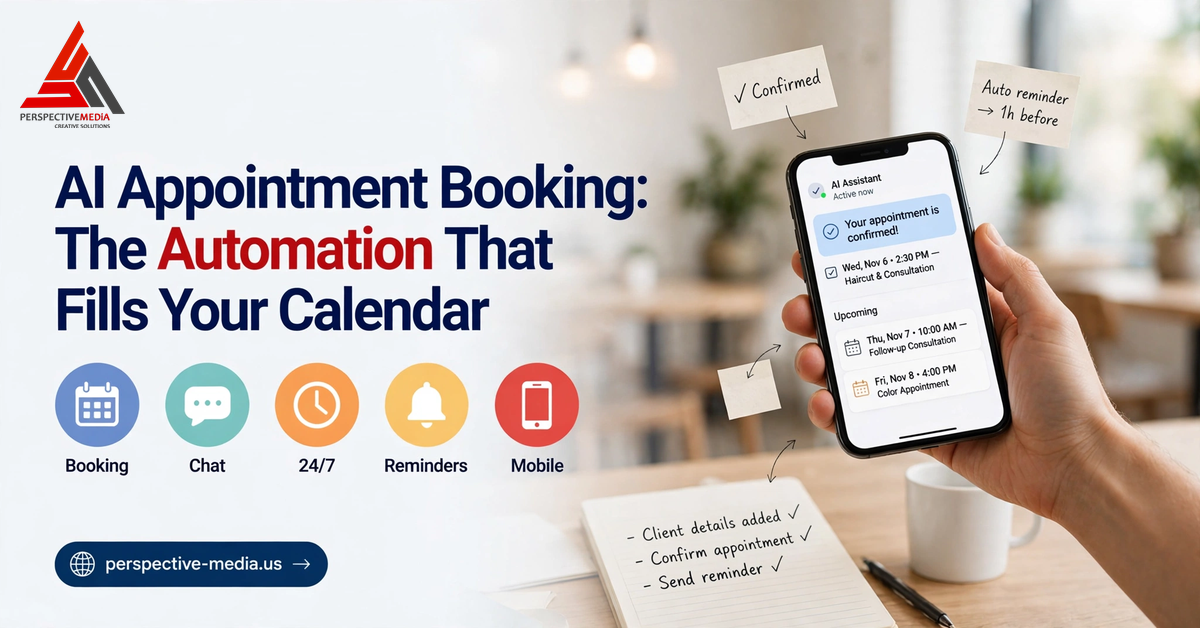
AI appointment booking is quietly becoming the highest-ROI automation a US service business can adopt. Not because it’s flashy, but because it fixes the most expensive leak in most businesses: the enquiries that arrive after hours, on weekends, or while you’re on a job — and never get a reply.
Think about your last missed call. A homeowner’s AC dies at 9:40 PM on a Sunday. They Google “emergency AC repair near me,” tap the first listing with good reviews, and call. If voicemail answers, they don’t leave a message — they tap back and call the next listing. The business that picks up, or answers instantly by text, wins the job. AI appointment booking makes sure that’s you, without paying someone to sit by the phone at midnight. This guide explains how AI booking assistants actually work, why after-hours lead capture matters more than most owners realize, and what to look for before you deploy one.
What Is AI Appointment Booking?
AI appointment booking is a conversational AI system that handles scheduling like a trained front-desk employee would — by text, chat, or voice. It answers incoming enquiries, asks qualifying questions, checks your real availability, books the appointment directly into your calendar, and sends confirmations and reminders. The whole flow happens in seconds, 24/7, with no human involved.
Unlike the chatbots of five years ago, modern AI booking assistants understand natural language, follow multi-step conversations, and integrate with real calendars and CRMs. A customer can write “do you have anything Thursday afternoon for a brake inspection?” and get back a confirmed slot — not a link to a scheduling page they never open. Google’s Business Messages platform confirms the direction: customers expect to message a business and get things done inside the conversation. The category goes by several names — AI receptionist, AI booking agent, automated scheduling assistant — but the mechanism is the same: conversational AI plus calendar integration plus instant follow-up.
Why AI Appointment Booking Beats the Old Front-Desk Model
The old model says: calls come in, staff answer, enquiries get written down, someone calls back. It worked when customers accepted waiting. They don’t anymore.
The after-hours gap is where jobs are lost
For many US service businesses, a large share of enquiries arrives outside business hours. Plumbers, HVAC techs, tow truck operators, emergency dentists — their demand spikes at night and on weekends. Even non-emergency trades like roofing see customers researching in the evening, after their own workday ends. If your booking process sleeps at 6 PM, you’re effectively closed for a big chunk of the market — while an AI assistant answers the 9:40 PM enquiry, qualifies it, books the Tuesday slot, and confirms by text before the customer calls your competitor.
Speed to lead is still the deciding factor
Sales research consistently shows the first business to respond wins the job more often than not — Salesforce’s State of Sales report keeps speed-to-lead near the top of what separates high performers. A response measured in seconds converts dramatically better than one measured in hours.
AI appointment booking collapses response time to near zero. The customer gets an answer while their intent is hottest — in the conversation itself, not a callback three hours later when they’ve already booked someone else.
How AI Appointment Booking Actually Works
Here’s the end-to-end flow for a typical US home-services business.
1. Missed-call text-back
A customer calls, you’re on a job, the call goes unanswered. Within seconds, the system texts the caller: “Sorry we missed you! This is [Business Name] — looking to book a service today?” That single text recovers a huge share of would-be lost leads, while the customer is still looking at your listing.
2. Conversational qualification
The AI asks the questions your front desk would ask: what’s the problem, where are you located, is this urgent, when works for you. It understands messy human replies — “tomorrow after 3,” “need someone ASAP” — and routes accordingly: emergencies get priority handling, routine requests go to standard scheduling.
3. Calendar sync and instant confirmation
The AI checks your real-time availability in Google Calendar, Outlook, or your job-management software, offers real open slots, and books the chosen one immediately — name, number, service type, notes, all logged. The customer gets a text confirmation on the spot.
4. Reminders that cut no-shows
No-shows are silent profit killers. The AI sends automatic reminders — typically 48 hours and 2 hours before — and lets customers confirm, reschedule, or cancel by replying to the text. When a customer cancels, the slot reopens automatically for someone else.
5. Human handoff when it matters
Good AI booking assistants know their limits. Complex situations — an angry customer, a multi-part commercial job — get routed to a human with the full transcript attached. The customer never feels trapped in a robot loop.
AI Appointment Booking vs. Human Receptionists
Most businesses get the best results from a hybrid: AI handles instant response and routine scheduling; humans handle relationships, exceptions, and anything nuanced.
| | AI booking assistant | Human receptionist | |—|—|—| | Availability | 24/7/365, instant | Business hours, breaks | | Response time | Seconds | Minutes to hours | | Cost scale | Flat, doesn’t grow with volume | Per-hour, scales linearly | | Routine scheduling | Flawless and consistent | Varies by person and day | | Complex judgment | Limited — escalates | Strong | | Relationship building | Polite but transactional | Genuine |
The honest math: AI wins on availability, speed, and consistency; humans win on judgment and empathy. Together, they cover the whole day. For a growing business that can’t yet justify a full-time dispatcher, AI appointment booking is how you punch above your weight class.
What to Look For in an AI Booking Assistant
Not all AI appointment booking tools are equal. Before you commit, check these five:
- Real calendar integration. It must read and write to your actual calendar (Google, Outlook, or your field-service software), not just collect “preferred times” for someone to reconcile later. Two-way sync — booking, rescheduling, and cancelling — is non-negotiable.
- Missed-call text-back. This single feature drives most of the ROI. If a tool can’t text a caller back within seconds of a missed call, it’s solving the wrong problem.
- Spam and junk filtering. Your business number will attract spam. The AI should recognize and ignore it instead of filling your calendar with nonsense appointments.
- Human handoff with context. Escalation should hand the human the full conversation history and the customer’s details — not dump a confused customer into a fresh queue.
- Your business voice. The AI should answer in your tone, use your business name, know your services and service area, and never hallucinate pricing or promises you can’t keep. Test it with edge cases before it talks to real customers.
Also worth asking: who owns the data, and how the system handles TCPA and state-level consent rules for automated messaging. A serious vendor answers those questions before you ask.
AI Appointment Booking FAQs
How much does AI appointment booking cost?
Costs vary widely by provider and message volume, so shop on features rather than a single price point. What matters for the ROI math is what it replaces: recovered after-hours jobs, fewer no-shows, and hours your team stops spending on scheduling.
Will customers hate talking to a robot?
Not if it’s well built. Most customers don’t care whether the reply is human — they care that it’s fast, accurate, and solves their problem. Announce it honestly (“Hi, I’m the automated assistant for [Business]”), keep conversations short, and always offer a human option.
Does it work for businesses with complex scheduling?
Yes, with the right setup. Multi-tech crews, variable job durations, service-area routing — all of it can be modeled in the scheduling rules. The key is proper configuration: your real services, durations, service area, and escalation paths.
Can it replace my receptionist?
Think of it as your receptionist’s night shift, not their replacement. It handles instant response, routine booking, and reminders — the repetitive work. Your staff spend their hours on the conversations that actually need a human.
The Bottom Line: Your Calendar Should Work While You Sleep
AI appointment booking captures the leads you’re losing after hours, books them into real slots instantly, cuts no-shows with automatic reminders, and hands off gracefully when a human is needed. For US service businesses — where the first responder wins and much of the demand arrives after 6 PM — it’s less a luxury than a competitive necessity.
It’s also part of a bigger shift: AI is quietly taking over repetitive front-office work, from how businesses get found (answer engine optimization) to how they get booked.
If you want an always-on booking system for your business, our AI automation work covers exactly this kind of deployment — and getting in touch takes about a minute.